
Produkt
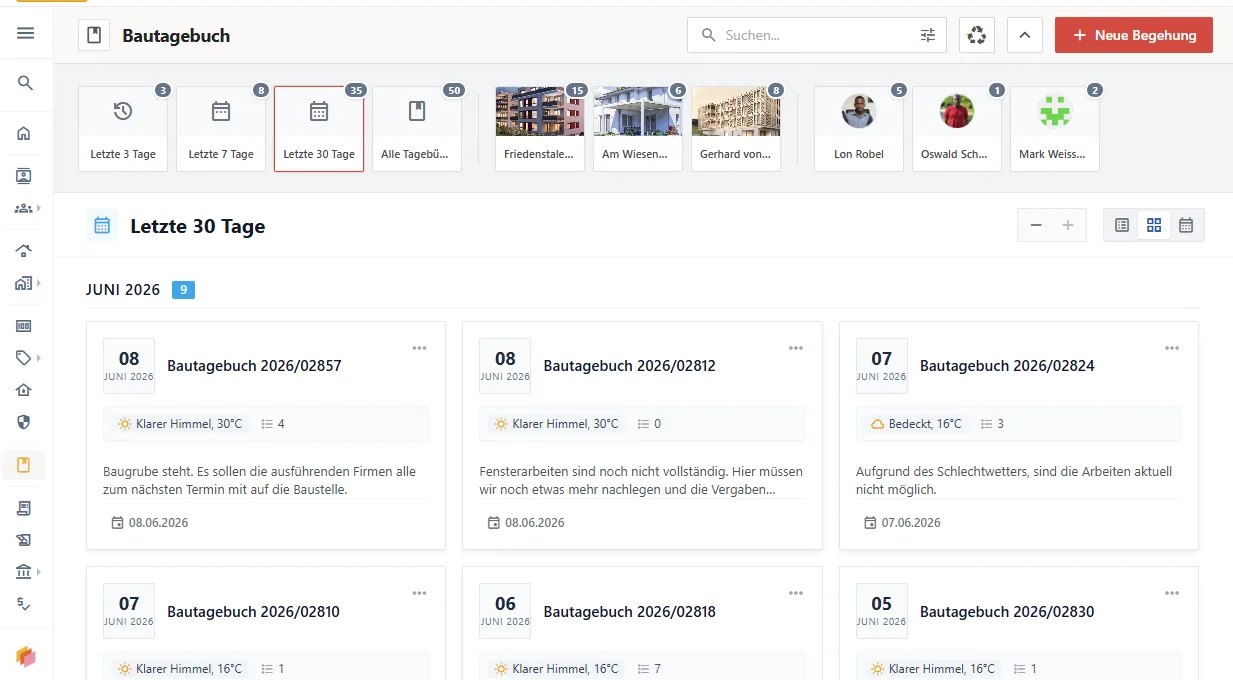
The new site diary in kanbau: simple, legally sound, AI-assisted site documentation
New in kanbau: the site diary for property developers – AI text recognition, automatic weather data, digital signatures and PDF in one click.
Produkt
kanbau now has an MCP interface: your AI assistant works directly with your project data – explaining costs, reading contracts, recording invoices.
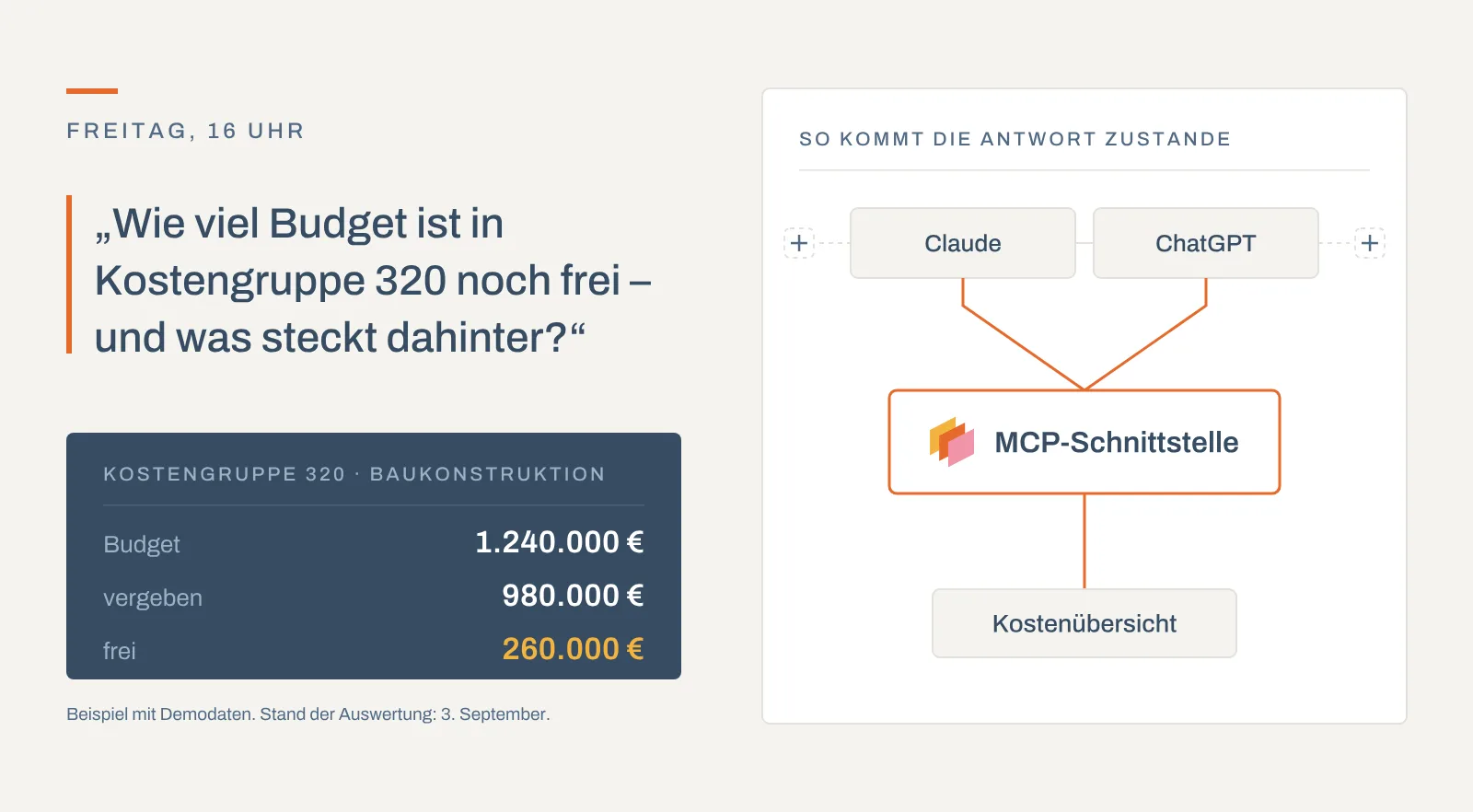
Management wants an update on two projects: how much budget is still available in cost group 320, which contracts sit behind it, and which documents came in this week? Until now that meant opening three screens, exporting two reports, checking the document archive – and then writing a four-sentence email.
From now on it is one question.
kanbau has an MCP interface. Through it, an AI assistant of your choice connects directly to your data in the kanbau platform and works with it in business terms: it searches projects, reads contracts, explains cost items and records invoices. Not in a separate AI interface that we rebuild ourselves, but in the tool your people already have open.
MCP stands for Model Context Protocol, an open, vendor-neutral standard for how an AI assistant may talk to a business application. The easiest way to think of it is as a power socket standard for AI applications: kanbau provides the socket, and any assistant with the right plug can use it.
The crucial point: the assistant gets no access to your database. It gets a manageable list of business functions – "search projects", "incoming invoice in detail", "cost overview in detail", "read document". Each one is built, limited and tested by us. Whatever is not offered as a function, the assistant cannot do. There is no free database query, and there will not be one.
"In the cost overview for the Lindenstraße project, cost group 320 shows an awarded amount of 1.4 million. What does that consist of?"
(Cost groups follow DIN 276, the German standard for structuring building costs; 320 covers foundations.) The assistant lists the purchase contracts, incoming invoices, offers and bookings that feed into this one cell – with number, date, contractor and amount – and on request reads the contract as well. It also works the other way round: manually maintained values such as budget and planned costs can be entered directly by giving the cost group number. kanbau then recalculates the higher-level totals and formula columns itself, and every change is recorded in the history.
"What does the change order to the shell construction contract with Müller say about the construction period?"
Because files are attached to almost every record, the document archive is available in every task area. The assistant reads the text content of PDF, Word, Excel, PowerPoint, emails, CSV and text files. It finds the file attached to the contract and answers with the relevant passage.
"Record the invoice from this email against the Lindenstraße shell construction contract."
When the invoice refers to a contract, kanbau takes the project, supplier, payment terms, retentions and the reverse-charge flag (§13b of the German VAT Act) from the purchase contract. A progress invoice for an instalment in the payment plan follows the same path: kanbau creates the line items from the instalment, deducts the instalments already invoiced on a cumulative basis and records the invoice against the contract.
We include this section out of conviction, because it decides whether something like this can be used in a property developer's office at all.
An MCP call is always the call of a specific user. There is no system access and no service account. The assistant sees exactly what that user would see in the user interface, and all restrictions continue to apply unchanged: enabled modules, restriction to certain projects, employee data, bank accounts, and permissions on individual folders and files. Anyone who may not see accounting will not see it through an assistant either. Permissions are not checked in the interface but in the same place as for the user interface.
On top of that comes a second layer: task areas. Each has its own endpoint and only shows the modules that belong to it – projects, sales and contracts, purchasing and contract awards, addresses, accounting, defects, tasks, or the full scope. This is not cosmetic: an assistant chooses the right function based on its description, and the longer the list, the more often it picks the wrong one. Someone who processes invoices all day connects the accounting area and gets more accurate answers than with the full scope.
Which functions are actually available to you is shown on an overview page in the browser – in your personal view, with a description of each function. And because every call is counted individually, you can also trace what an assistant actually did.
Honesty is part of this, otherwise disappointment follows. Imports and the classic interfaces are built for thousands of records in one run. For "whenever an invoice is approved, send …" there are webhooks – MCP answers when asked; it does not act on its own. And for the original with layout, signature and stamp, open the file: the assistant reads the text content, not the document itself.
One more point we will not hide: the data the assistant retrieves is processed by its provider, under that provider's terms. Decide in advance which assistant is permitted in your company, check whether the provider offers business terms with a data processing agreement, and connect the smallest task area that fits. An assistant that never sees accounting cannot pass it on.
Classic automation needs a process that is the same every time. But much of the office work in property development is not the same: every request is slightly different, every summary has a different focus. Until now this work could not be automated. With MCP it can – and the status of a project becomes a query, not an investigation.
Want to see how this looks with your data? Book a demo – we connect an assistant to a demo system and you ask the questions.
kanbau is a product of Behuf GmbH, Nuremberg, Germany.
Claude, ChatGPT, Microsoft 365, SharePoint and Google Workspace are trademarks of their respective owners. No partnership exists.
Through the MCP interface, an AI assistant searches projects, reads contracts and documents, explains cost items and records invoices. It uses a manageable list of tested business functions and gets no access to the database.
Deleting and archiving do not exist in kanbau's MCP interface at all, not even with special permissions. Bulk changes and legally binding actions such as notarisation, approvals and payment runs also stay in the user interface.
An AI assistant connected via MCP sees exactly what the connected user would see in the user interface. The same permissions on modules, projects, bank accounts, folders and files apply, and task areas such as accounting or defects narrow the scope further.
We also share kanbau news on LinkedIn. Follow kanbau on LinkedIn
← All articlesNew in kanbau: the site diary for property developers – AI text recognition, automatic weather data, digital signatures and PDF in one click.

Choosing software for property developers: an all-in-one approach, speed, mobility and ease of use as criteria – and how kanbau addresses them.